Marketplace
Browse skills and memory listings, manage purchases and subscriptions, and publish a memory listing.
Browse published skills and memories. Check the listing type, included access, price and usage allowance before purchasing.
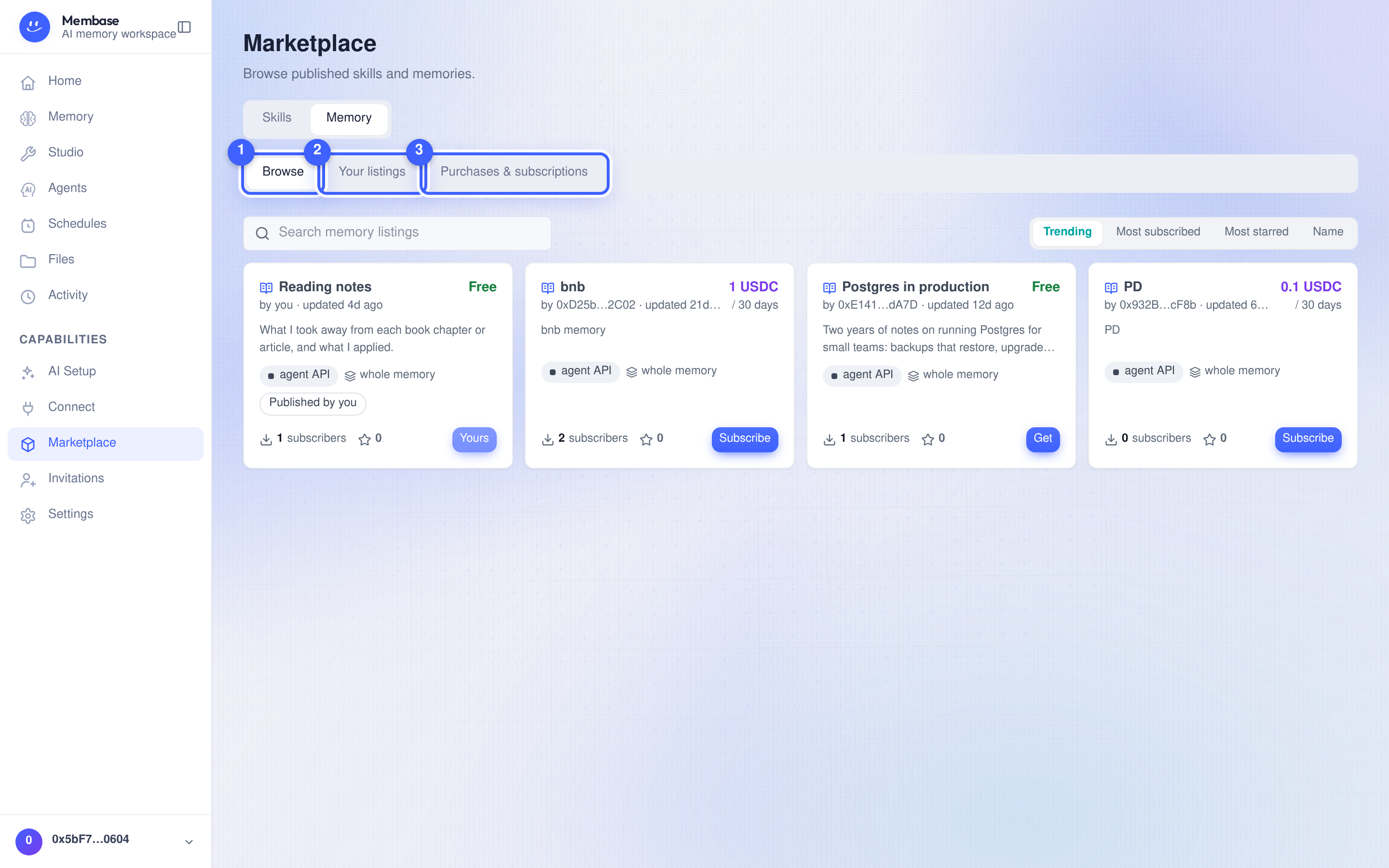
- Browse. Search the catalog and open a listing to review its details.
- Your listings. Manage the memories you offer. List a memory creates a listing.
- Purchases & subscriptions. View what you have bought or subscribed to.
The Skills | Memory switch selects the catalog.
Memory listings
Section titled “Memory listings”A listing you create today is an agent endpoint. Two earlier kinds are no longer offered but still show for the people who bought them:
| Type | What you receive |
|---|---|
| Agent endpoint | A per-listing MCP connector URL your AI calls with agent_invoke; answers, never files. Valid 30 days per payment; renew to continue |
| Snapshot (no longer offered) | A copy of the listed items at purchase time; later seller edits do not update it |
| Live memory (no longer offered) | Read access to the seller’s memory for the subscription period |
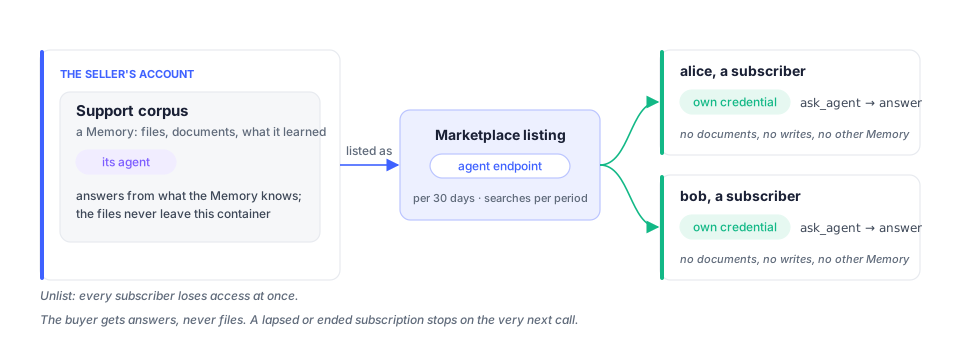
Open a listing and read Included access for its specific terms. Live access can be revoked by the seller; a paid period does not guarantee access after the seller revokes it.
Buying
Section titled “Buying”Choose the purchase or subscription action shown on the listing. Review the confirmation, including any usage limit. Paid listings open your wallet for payment; the purchase is complete only after payment succeeds. Live paid access is valid for the period shown, and renewal requires another payment.
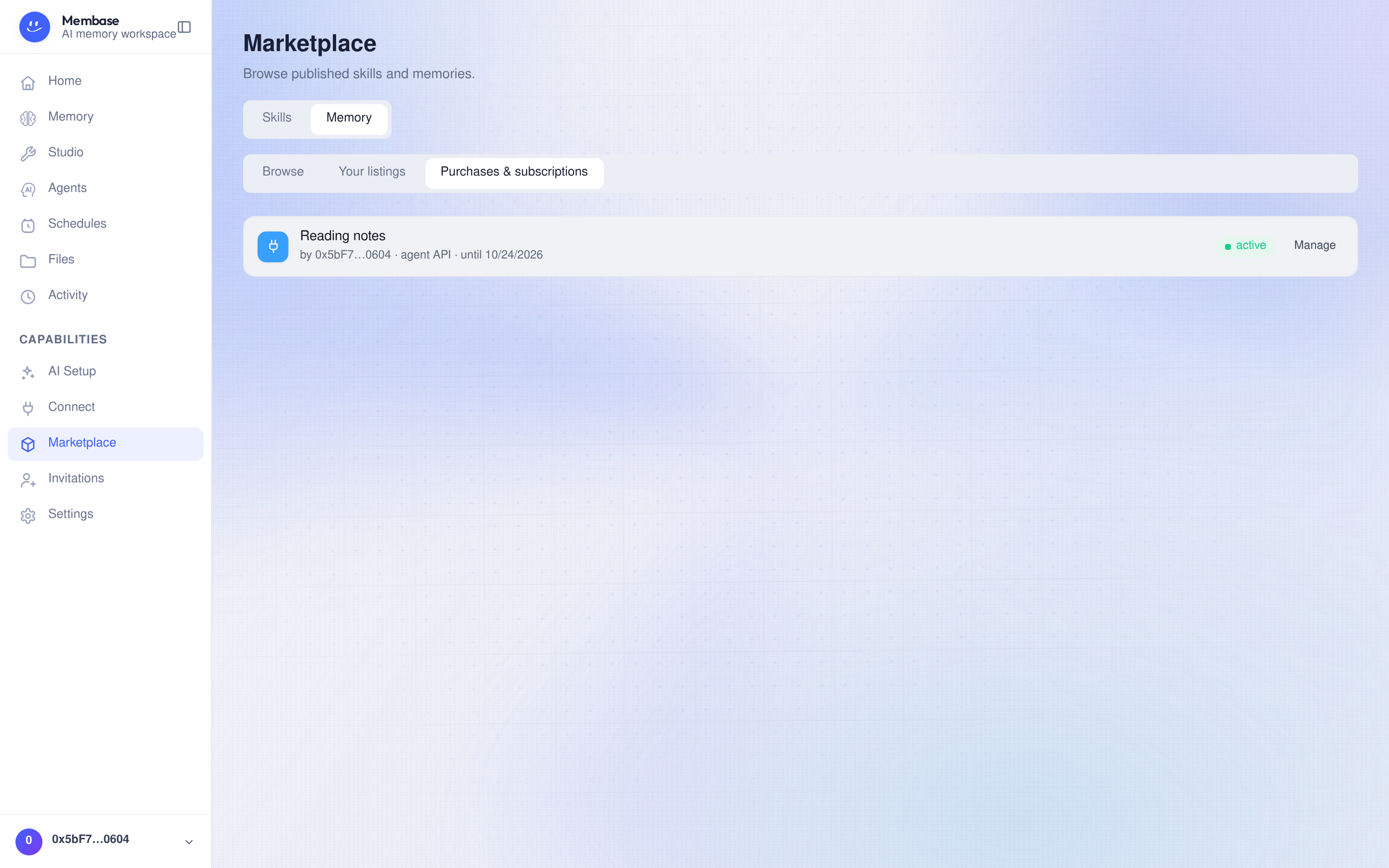
Use Purchases & subscriptions to review status and access dates, open snapshot items, or manage an available credential. Use the actions offered for that listing type.
A subscription also appears as a Subscribed tile on your Memory page:
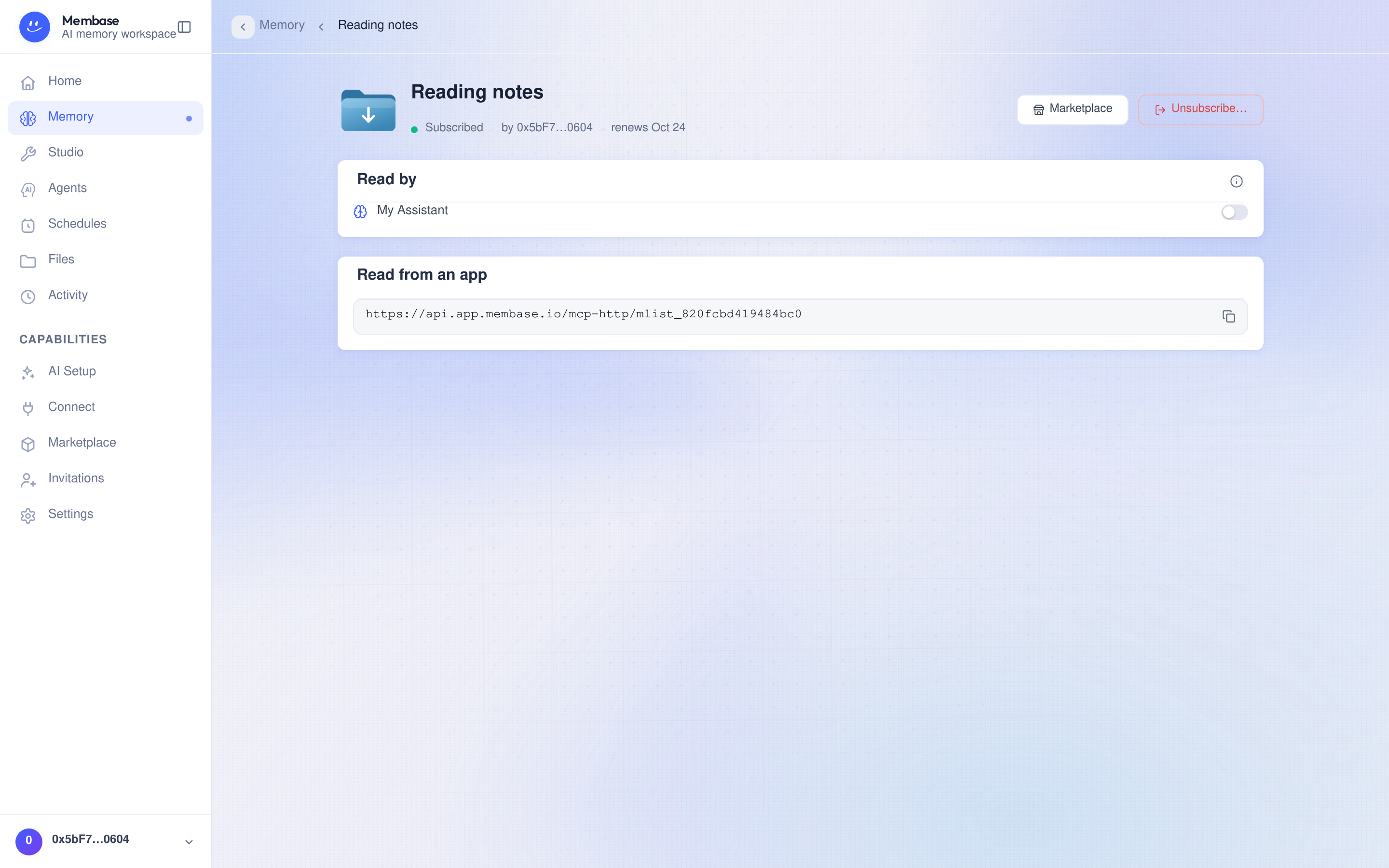
Its page shows the seller and access period. Read by selects which of your agents may consult it. Read from an app provides connection details when available. You cannot edit the seller’s memory. Review the confirmation before unsubscribing.
Selling
Section titled “Selling”- Select List a memory, or Sell under Settings › Sharing › Marketplace on a Memory.
- Select the Memory and fill in the Listing name, Description and sample content.
- Set the price and usage allowance. A paid listing requires a receiving wallet.
- Review the details, then select Publish to make the listing discoverable.
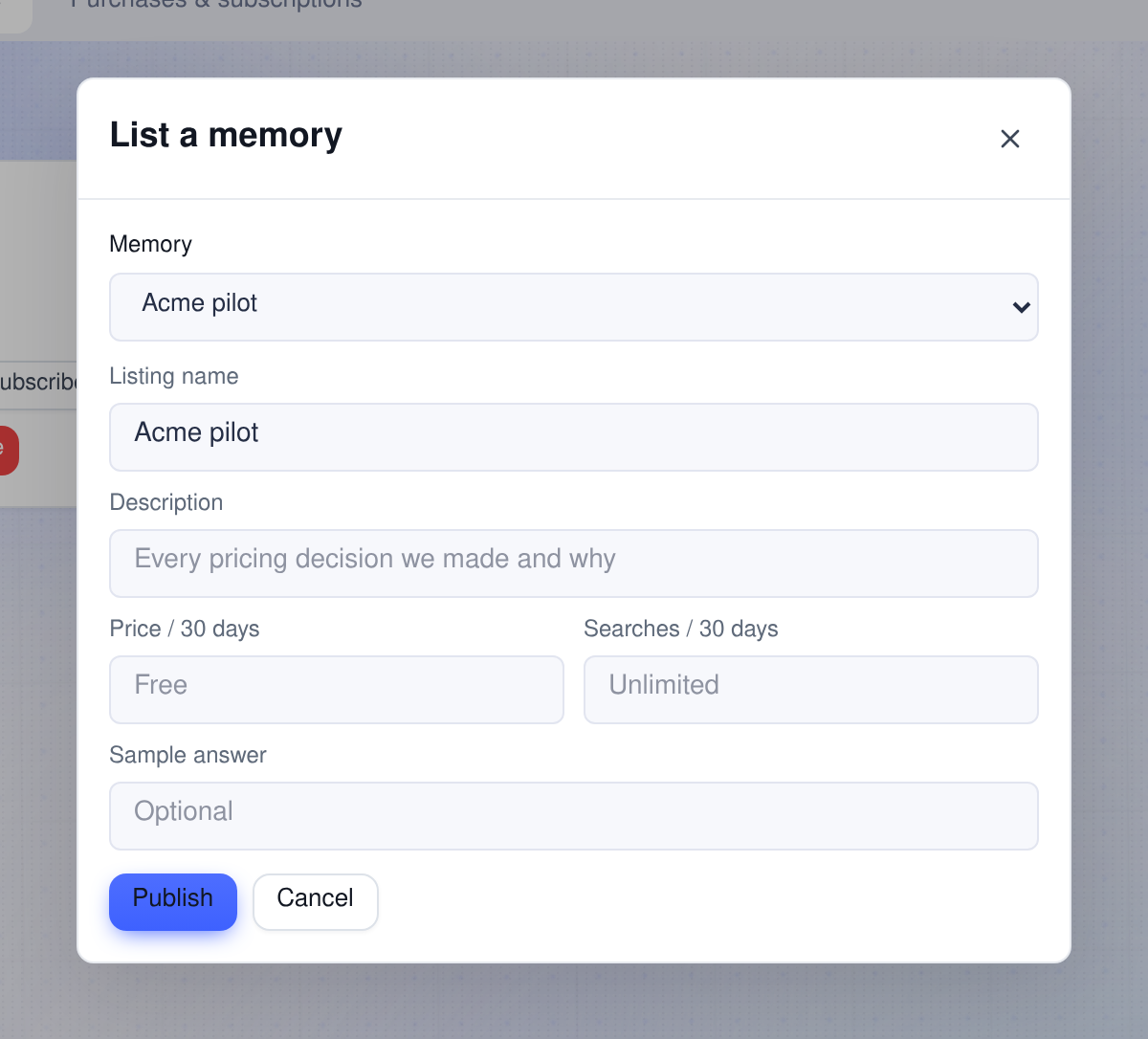
Manage listings under Your listings, where each row offers Publish, Edit and Delete; on the Memory’s side, Settings › Sharing › Marketplace offers Unlist…. Before deleting or unlisting, review how the action affects existing subscribers. Removing a listing and deleting the Memory itself are separate actions.
Skills
Section titled “Skills”Browse lists published skills. Your skills lists installed or published skills. Review a skill before installing it for use by an agent.