Studio
The workflow canvas behind a memory update: one pipeline per memory, the blocks you can add, and what saving changes.
Studio is the canvas where an agent is drawn. Most people reach it one way: a memory’s Open in Studio, under Advanced in its Settings. That opens the memory’s own pipeline.
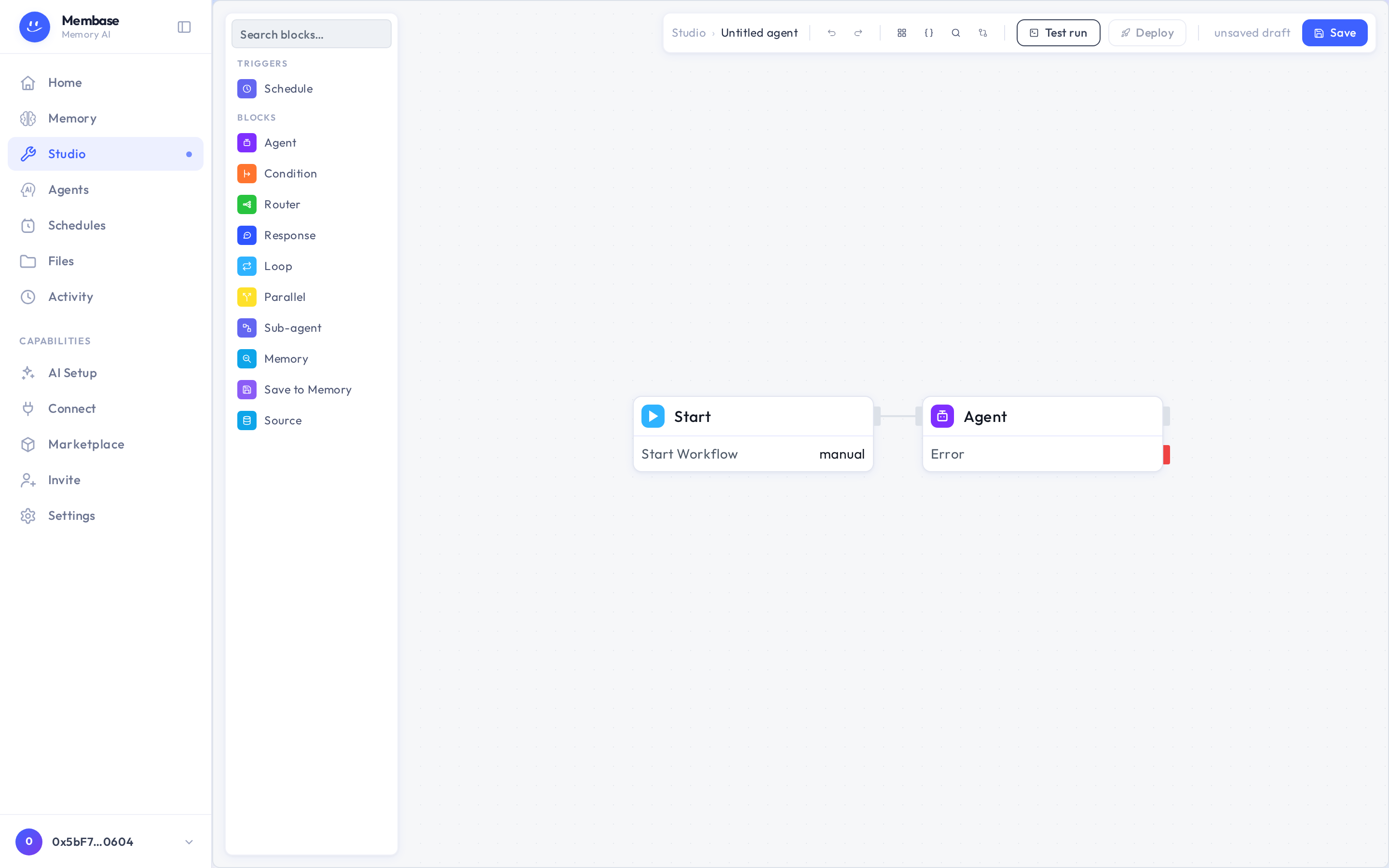
A memory has exactly one canvas. A fresh one holds two blocks, Starter and the memory’s Agent, and runs exactly what Update now on the Memory page runs. On the canvas you can add what a button cannot express: a Source block to read something else, a Memory block, a Save to memory block, a Condition, or a Schedule block.
Things that are the same object as on the memory’s page:
- Renaming the memory renames its canvas and its agent.
- The Schedule block writes the same cadence as Add schedule in the memory’s Settings and the row on the Schedules page.
- Deleting the memory archives its canvas.
Save keeps the draft your own runs execute. Deploy pins a version that schedules, webhooks and marketplace subscribers run. The breadcrumb leads back to the memory.
You only need Studio for a memory that should do more than read its sources. If you are not sure you need it, you do not.