Use Membase
Start with a working Memory, then import more material, use your assistant, connect apps, and keep your memory up to date.
Start with the quickstart: create a Memory, add a file, run it, and ask your assistant a question. You can connect another AI after that first success.
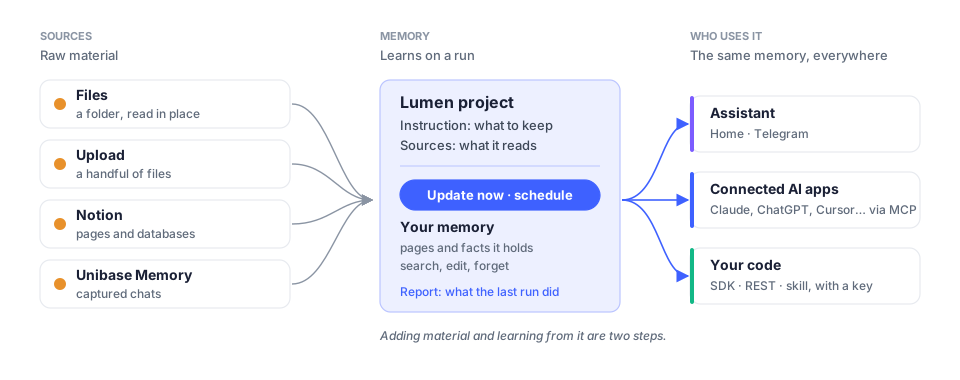
A Memory is a named collection of what Membase has learned about a topic. A source is the material it reads. Adding a source and learning from it are separate steps. Concepts explains the other product terms.
Find your task
Section titled “Find your task”| I want to | Guide |
|---|---|
| sign in or replay the setup tour | Sign in · Setup guide |
| import my material | Sources · Files · Notion · Browser extension |
| create, update, inspect or edit a Memory | Memory |
| talk to my assistant | Home · Telegram |
| let another AI use my memory | Connect your AI |
| change access or manage developer keys | Connect |
| update automatically or investigate a failure | Schedules · Activity |
| buy or sell access to a Memory | Marketplace |
| choose a model or manage my account | AI Setup · Settings |
| customize an agent or its workflow | Studio · Agents |
To use memory from code, start with the API quickstart.