AI Setup
Where the account’s model comes from: your own provider key or a Claude or ChatGPT subscription, verified before use.
AI Setup is where the account’s model comes from.
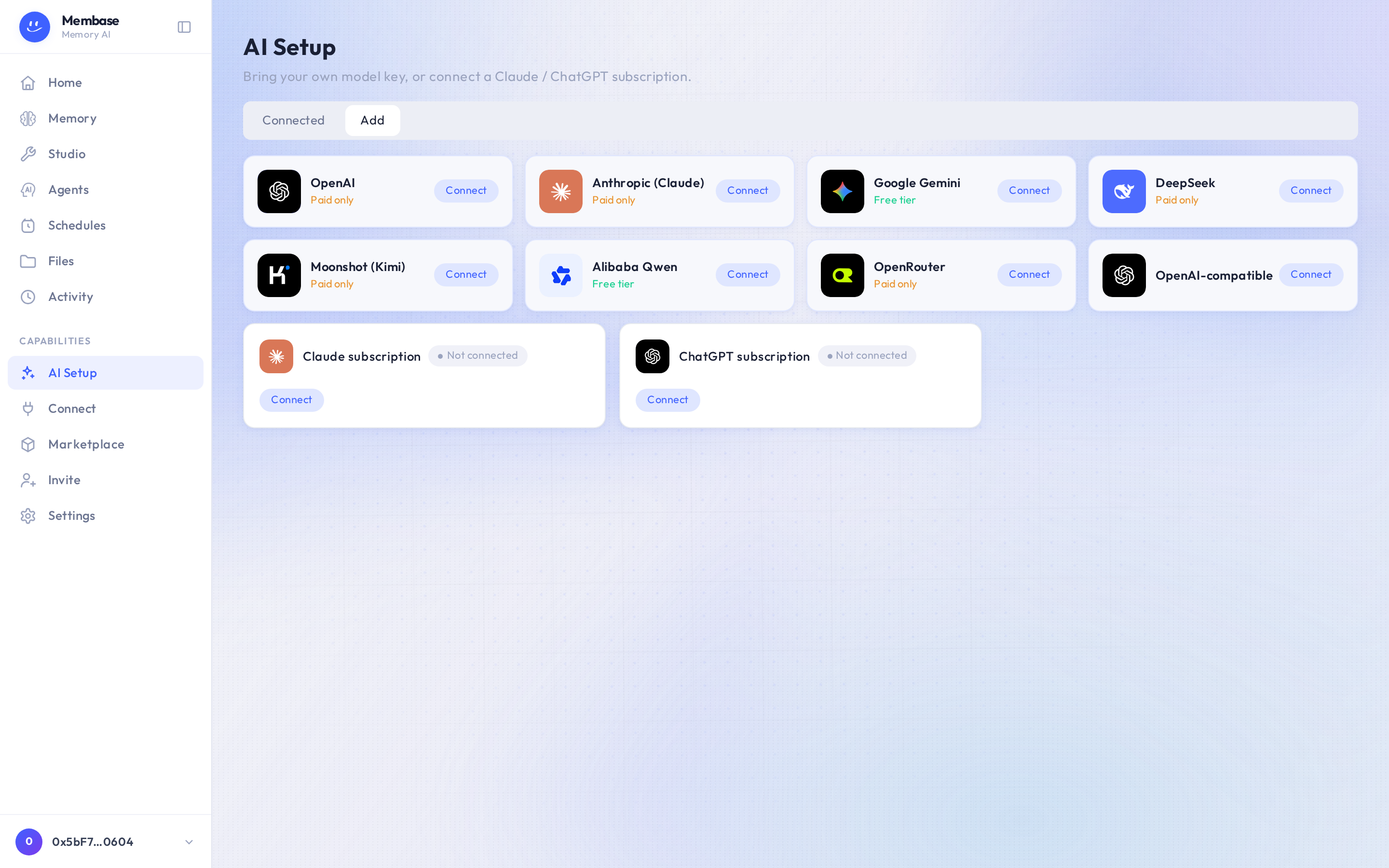
Two ways in:
- Bring your own key for a provider (OpenAI, Anthropic, Gemini, DeepSeek, Moonshot (Kimi), Alibaba Qwen, OpenRouter, or OpenAI-compatible for any other endpoint). Press Connect, paste the key, pick a model from the list the key returns. A key with no model is not saved.
- A Claude or ChatGPT subscription. Press Connect on the subscription card and sign in with that provider. Turns are then billed to the subscription.
The Connected tab lists what you have set up; one of them is the account’s active source. The active source answers everything that is not an agent turn. Which source the assistant runs on is the assistant’s own field, in its settings on Home.
Where the call goes
Section titled “Where the call goes”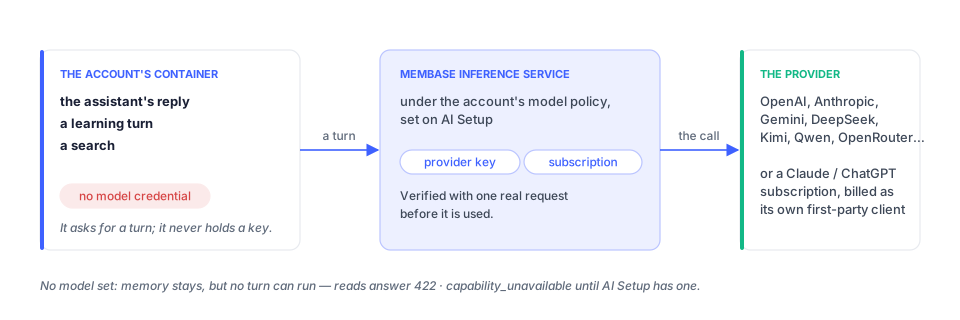
Your agent never holds the key or the subscription. It asks Membase for a turn, and Membase makes the call to the provider under this page’s settings. Without a model here, memory stays but nothing can run.
Verify
Section titled “Verify”Each connection is verified with one short real request before it is used. A key that fails verification is never used, and the row says why.
If something looks wrong
Section titled “If something looks wrong”Look up the word on screen.
| It says | What it means | Do |
|---|---|---|
| Not connected on a subscription card | you have not signed in with that provider | Connect and finish the provider’s sign-in |
| a failure reason on a key’s row | the one test request with that key did not succeed; the key is not used | check the key and the model, Connect again |
| everything works except agent turns | the account’s active source is set, the assistant’s own model source is not | Home › ⚙ Assistant settings (beside Remote) › model card |